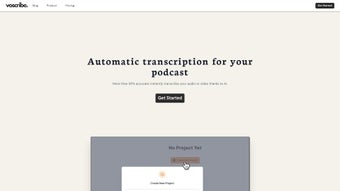

Download Voscribe – AI‑Powered Transcription for Podcasts & Video
Overview
Voscribe is a web‑based transcription service built specifically for creators who publish podcasts, webinars, online courses, and video content. By leveraging state‑of‑the‑art machine learning models, Voscribe can turn hours of spoken audio into clean, searchable text with a level of accuracy that rivals professional human transcribers. The platform is subscription‑based, offering a range of plans that suit freelancers, small production teams, and large media houses alike.
What truly sets Voscribe apart is its integrated Editor, which synchronises the transcript with the original media file, allowing creators to edit text while listening to the exact moment in the recording. This tight coupling eliminates the tedious back‑and‑forth that typically plagues manual transcription workflows. In addition to plain text, Voscribe automatically generates subtitle files in the SubRip (SRT) format, making it simple to add captions to YouTube videos, Vimeo uploads, or any video‑hosting service that accepts SRT.
The service also supports bulk uploads, enabling batch processing of multiple episodes or lecture recordings. With a clean, responsive UI, secure cloud storage, and regular AI model updates, Voscribe aims to be the go‑to tool for anyone who wants to repurpose spoken content quickly, affordably, and with confidence in the final output.
Key Features & How It Works
Core Capabilities
- AI‑driven transcription with up to 95 % accuracy for clear English audio.
- Real‑time synchronization between transcript and audio/video for instant editing.
- One‑click export to SubRip (SRT) subtitle files, plain TXT, or Word documents.
- Bulk upload support for processing multiple files simultaneously.
- Secure cloud storage with end‑to‑end encryption.
- Custom vocabulary builder for industry‑specific terminology.
- Version history and undo/redo capabilities within the editor.
How It Works
Once you create an account, you are greeted by a simple dashboard where you can drag‑and‑drop audio (MP3, WAV) or video (MP4, MOV) files. Voscribe’s backend instantly analyses the file, selects the appropriate language model, and begins transcribing. The AI processes the file in the cloud, meaning your local machine’s performance does not impact speed.
Within minutes, a draft transcript appears in the built‑in Editor. The editor highlights each word and timestamps it, so clicking any segment jumps the playback to that exact spot. This feature is especially handy for podcasters who need to correct mis‑heard words or add speaker labels.
After polishing the text, you can generate subtitles automatically—the system maps each line of text to the corresponding timestamps and formats it into an SRT file ready for upload. All exports are stored in your account, and you can download them at any time. Regular updates to the underlying AI models ensure that accuracy improves over time, and the custom vocabulary feature lets you train the system on brand‑specific terms, acronyms, or names, further reducing errors.
Installation & Usage
Voscribe is a purely web‑based solution, so there is no traditional installation required. The service runs on modern browsers (Chrome, Edge, Firefox, Safari) on any operating system—Windows, macOS, Linux, Android, or iOS. To get started, simply navigate to www.voscribe.com, sign up for a free trial, and begin uploading your media.
For teams, the admin console lets you manage user permissions, set storage quotas, and monitor usage across the organization. The intuitive UI is responsive, making it equally easy to edit transcripts on a desktop monitor or a tablet while on the go. Because all processing happens in the cloud, you benefit from continuous security patches and AI improvements without needing to download updates.
Pros and Cons
Advantages
- High transcription accuracy thanks to advanced AI models.
- Integrated editor with real‑time audio sync saves massive editing time.
- Automatic SRT subtitle generation streamlines video publishing.
- Supports bulk uploads—ideal for series or lecture batches.
- Secure, encrypted cloud storage protects sensitive content.
- Custom vocabulary reduces industry‑specific errors.
- Cross‑platform accessibility; works on Windows, macOS, Android, iOS.
Limitations
- Subscription model may be pricey for occasional hobbyists.
- Accuracy drops on heavily accented speech or low‑quality recordings.
- No offline desktop client for users who prefer local processing.
- Limited support for languages other than English in the current release.
- Export formats are limited to TXT, Word, and SRT; no direct PDF export.
FAQ & Conclusion
How accurate is Voscribe compared to manual transcription?
Voscribe’s AI models achieve up to 95 % accuracy on clear, native‑speaker English audio, which is comparable to professional human transcribers. Accuracy may vary with background noise, heavy accents, or low‑bitrate recordings, but the built‑in editor makes quick corrections easy.
Can I use Voscribe on my smartphone?
Yes. Voscribe runs in any modern mobile browser, so you can upload, edit, and export transcripts on Android or iOS devices without installing a separate app.
What file formats can I export from Voscribe?
Voscribe supports export to plain text (.txt), Microsoft Word (.docx), and SubRip subtitle (.srt) formats. These cover most publishing workflows for podcasts, blogs, and video platforms.
Is my data safe on Voscribe’s cloud?
Voscribe uses end‑to‑end encryption for both data at rest and in transit. Files are stored on secure servers that comply with GDPR and other major data‑privacy regulations, ensuring that your audio and transcripts remain confidential.
Do I need any special hardware to run Voscribe?
No special hardware is required. Because all processing happens in the cloud, any device capable of running a recent web browser can access Voscribe, from a low‑end laptop to a high‑end workstation.
Conclusion
If you produce regular podcast episodes, video tutorials, or any spoken‑word content, Voscribe can dramatically reduce the time you spend on transcription and subtitle creation. Its AI‑driven accuracy, synchronized editor, and seamless export options make it a powerful addition to any creator’s workflow. While the subscription cost may be a consideration for occasional users, the productivity gains and secure cloud environment often outweigh the price for professionals and growing teams. Ready to transform your audio into searchable text and captions in minutes? Start your free trial of Voscribe today and experience the future of transcription.



.png)



